Take your e-commerce store further.
Using the right Magento 2 extension is more essential now than ever. With MagePal, you can rest assured that you are getting the best quality Magento extensions, each line of code are carefully crafted and rigorously tested. Spend less time debugging and more time doing what you do best with MagePal extensions!
Payment Restrictions for Magento 2
With the Payment Restrictions extension for Magento 2, store owners gain granular control over which payment methods appear during checkout. Restrict payment methods based on selected shipping method, customer group, order subtotal, currency, or store view.
Additionally, store administrators can enable exclusive backend-only payment options (such as Cash on Delivery, Check/Money Order, or In-Store Payment) that only appear when creating orders within the Magento Admin panel, keeping them hidden from general storefront customers.
Installation Guide
Step 1 - Review License
Review the license.txt provided with your purchase.
Step 2 - Install Payment Restrictions
Using Composer (recommended)
- Please log in to your MagePal account for access credentials to our private composer repository.
composer require magepal/magento2-payment-restrictions
Manually
- Download and install our core extension:
- https://github.com/magepal/magento2-core
- Download the extension archive.
- Unzip the archive.
- Create the target directory:
{Magento 2 root}/app/code/MagePal/PaymentRestrictions - Copy the contents from the unzipped folder into this directory.
Step 3 - Enable Module
Run the following commands from your Magento root folder:
php -f bin/magento module:enable --clear-static-content MagePal_PaymentRestrictions
php -f bin/magento setup:upgrade
Step 4 - Configure Payment Restrictions
- Log into your Magento 2 Admin Panel.
- Navigate to Stores > Configuration.
- Under the MagePal tab, select Payment Restrictions.
- Set up conditional rules based on shipping methods, customer groups, and admin order permissions.
Step 5 - Extension Review
Like our extensions? Would you be kind enough to leave us a Google review? It only takes a minute and we’d be eternally grateful! Just click the link to go to our MagePal Google Business page and leave us your feedback.
Version History | Change Log
1.1.5
-
New Features:
- Add support for PHP 8.5 and Magento 2.4.9
- Add support for Magento 2.4.8 and PHP 8.4
- Update company URLs to use HTTPS
1.1.2
-
New Features:
- Add support for PHP 8.1
Related Extensions
Get more from your Magento2 store!

Catalog Hover Image for Magento
Quickly previewing alternative product images on your category list page.
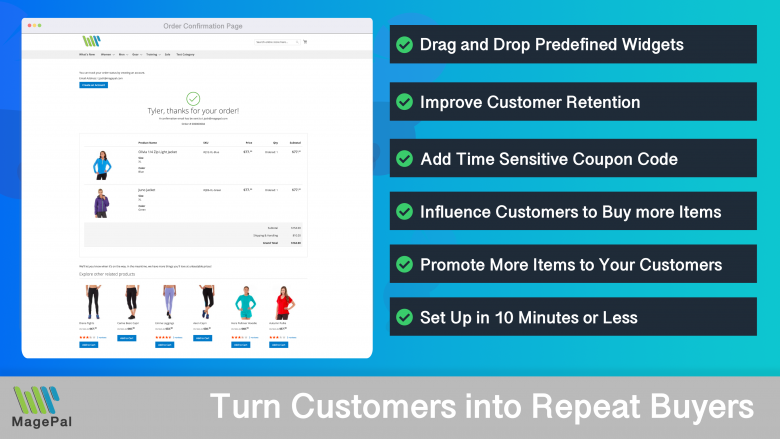
Enhanced Success Page
Add cross-sell, upsell, related products, social media links and other elements to your order confirmation.

HTML Minifier for Magento2
Minification is the process of removing all unnecessary characters and spacing from your source code without changing its functionality.
0
Total Downloads
11
years experience with Magento
30+
Magento / Adobe Commerce Extensions
Shop with confidence
With millions of downloads worldwide, install with confidence knowing that our extensions will just work.
Prepare for the future with Google Analytics 4
Is your Magento store ready for the future? Say hello to the new Google Analytics 4, which is built from the ground up with all-new features and advanced machine learning technology.